


Rescript vs Recut
Rescript vs Recut
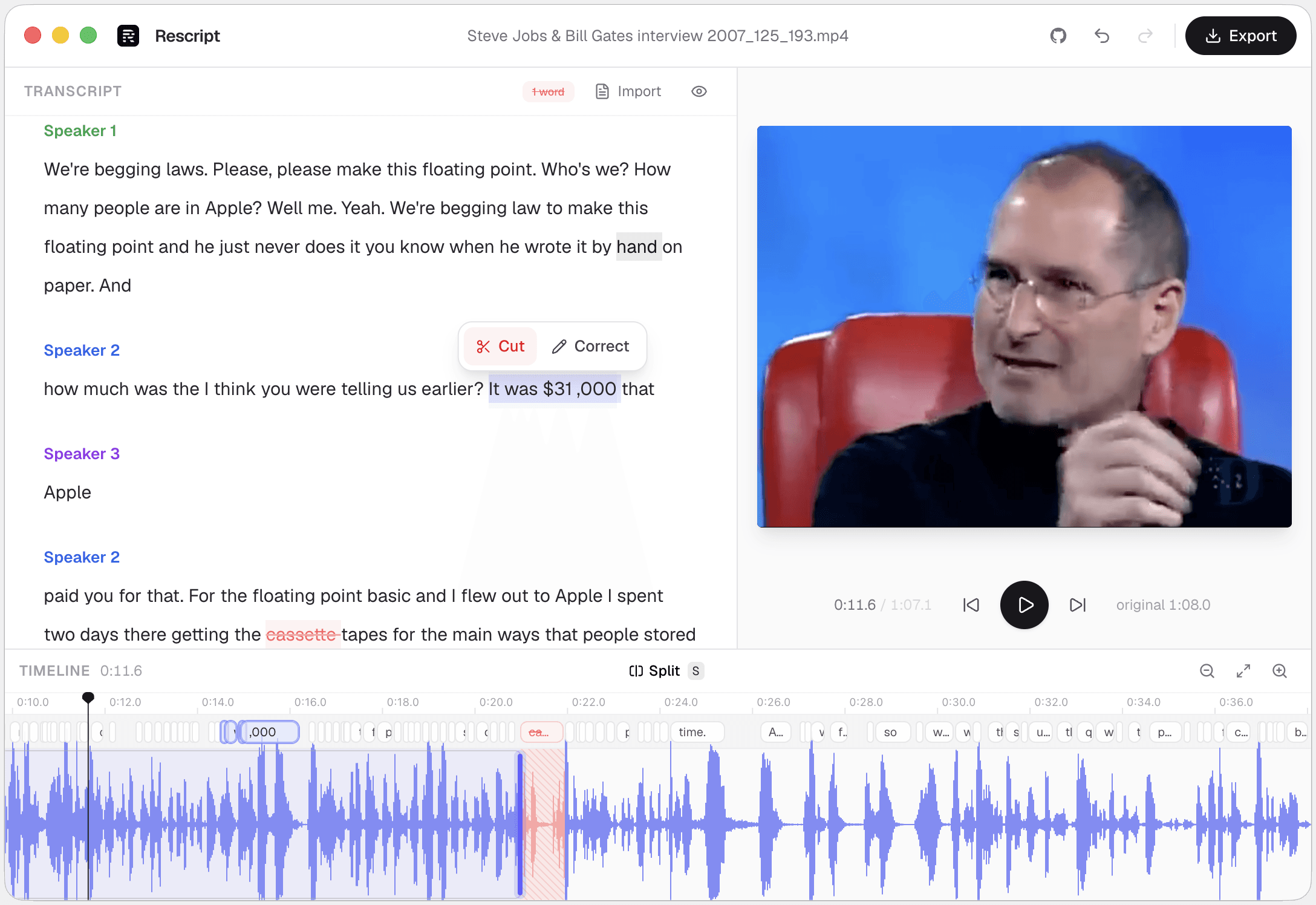
Recut detects silences, cuts them, and hands the result to your editor — fast, entirely local, and a one-time purchase rather than a subscription. Rescript overlaps on silence removal but approaches the file through its transcript, so you can also delete words, strip fillers, label speakers, and regenerate a line in the speaker's own voice. Recut is the better silence-cutting front-end for an NLE workflow, because it exports timelines Rescript doesn't. Rescript is free, open source, and does more once the silences are gone.
Side by side
Rescript compared with Recut.
| Feature | Rescript | Recut |
|---|---|---|
| Price | Free and open source for noncommercial use | Paid, one-time purchase with a free trial |
| Where your media goes | Nowhere. It never leaves your device | Fully local |
| Works offline | Yes, once the model has downloaded a first time | Yes |
| Account required | None — open it and start editing | Licence key |
| Source code | Public on GitHub — auditable | Proprietary |
| Silence removal | One click, pauses of 0.3s and over | Its speciality — fast and precise |
| Delete words to cut footage | Word-level, with a live preview of the cut | Silence-based, not transcript-based |
| Filler word removal | One click across the whole file | No word-level filler detection |
| Speaker detection | Local diarization, speakers renameable | No diarization |
| Rewrite a line and have it spoken | Yes — cloned from that speaker's own audio, on-device | No |
| Round-trip to Premiere / Final Cut | Not yet — renders finished media instead | Exports to Premiere, Final Cut, Resolve, and more |
| Runs on | Browser, macOS, Windows, Linux | macOS and Windows |
 Rescript
 Recut
RecutDetails about other products come from their own public pricing and documentation pages and change often — check theirs before you decide. Corrections are welcome as a GitHub issue.
Silence detection versus a transcript
Recut works from the waveform: find the quiet parts, remove them. Quick, predictable, no speech model needed. Rescript runs Whisper first, which costs a couple of minutes up front and buys word-level timestamps — so it can cut a specific sentence, find every "um", tell you who said what, and let you search the recording as text.
Its silence removal is one click on pauses of 0.3 seconds and over, and every cut stays editable: drag either edge, restore a word, or nudge a word's timing when alignment is off.
The handoff difference
Recut's real value for many editors is that it renders nothing — it produces a timeline your NLE opens, so cuts arrive as edit points you can still adjust. Rescript doesn't do that yet; it renders the finished cut with ffmpeg and exports media plus captions. Timeline interchange is an open roadmap item.
If your output has to land in an NLE as editable cuts, Recut fits that pipeline better today. If the export is the deliverable, Rescript finishes the job on its own.
Which one
They're good at different jobs.
Choose Recut if…
- Silence removal is all you need, as fast as possible.
- You finish in an NLE and need a timeline handed over, not a rendered file.
- You prefer paying once to paying monthly.
- You work with footage where transcription would be slow or unhelpful.
Choose Rescript if…
- You want filler words removed too, not just silence.
- You want to read and cut the recording as text.
- You're on Linux, or you want it free and auditable.
- You'd rather fix a fumbled sentence than cut around it.
FAQ
Questions people actually ask
Is there a free alternative to Recut?
Rescript removes silences of 0.3 seconds and over in one click, runs entirely on your own machine like Recut does, and is free for noncommercial use. It also removes filler words and lets you cut by editing the transcript. It does not export an NLE timeline, which Recut does.
Does Rescript need to transcribe before it can remove silences?
Yes — the transcript is what the whole editor is built on. Whisper runs locally, and once it's done, silence removal, filler removal, and word-level cutting are all available together.
Keep comparing

Rescript vs Descript
The original transcript-based editor — and a full cloud studio.

Rescript vs Riverside
Remote recording studio with a text-based editor attached.

Rescript vs VEED
Browser video editor with subtitles and AI tools.

Rescript vs Kapwing
Collaborative online editor with text-based trimming.

Rescript vs Premiere Pro
Adobe's NLE, with Text-Based Editing built in.

Rescript vs CapCut
ByteDance's free general-purpose editor.

Rescript vs Podcastle
Cloud podcast studio with AI voices and Magic Dust.

Rescript vs TimeBolt
Automatic cutting of silence and filler words.

Rescript vs Cleanvoice
AI post-processing service for podcast audio.
Try it before you renew Recut.
Free, open source, and running on your own machine in under a minute. No account, and nothing to cancel later.
Or open the web app